What Is Blue Green Deployment Explained
#blue-green-deployment#zero-downtime#deployment-strategies#CI/CD#devops
October 26, 2025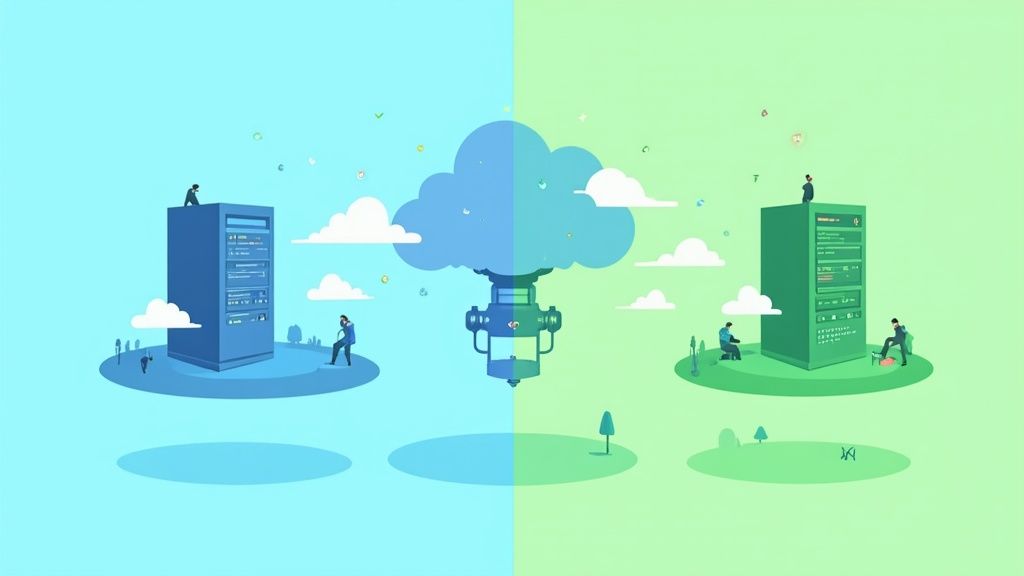
Ever wonder how major tech companies release updates so smoothly, you barely even notice? Often, the secret lies in a clever strategy called blue-green deployment. It's a way to release new software that dramatically cuts down on risk and virtually eliminates downtime.
The whole idea revolves around running two identical production environments. We can call them Blue and Green.
At any given time, only one of them-let's say Blue-is live and handling all the user traffic. The other environment, Green, is sitting idle, ready for the next update. This setup allows you to deploy and thoroughly test the new version of your application in the Green environment without a single user on the live Blue environment being affected.
What is Blue-Green Deployment?

Think about the old way of deploying software. It often felt like trying to fix a car engine while speeding down the highway-a risky, stressful process that usually required taking the whole system offline. Blue-green deployment gives us a much safer, calmer alternative.
A better analogy is a theater with two identical stages. The "Blue" stage is where the live performance is happening, and the audience is fully engaged. Meanwhile, backstage, the crew is setting up the next act on the identical "Green" stage. They can test the lights, check the props, and make sure everything is perfect.
Once the Green stage is ready, the director simply flips a switch. The curtain falls on Blue and instantly rises on Green. For the audience, the transition is seamless.
In the world of software, that "switch" is a router or a load balancer. It's what directs all your users to the active environment. When the new version is ready to go live, you just reconfigure the router to send traffic from Blue to Green. The change is immediate.
This approach gives you an incredible safety net. If you discover a critical bug in the new Green version right after the switch, no problem. You just flip the switch back to the stable Blue environment. The rollback is just as fast as the deployment, so the impact on users is minimal.
This concept isn't brand new; it grew out of the continuous delivery movement in the early 2000s, which focused on making software releases frequent and reliable. You can read more about its origins on Liquibase's blog.
For this strategy to work, a few principles are non-negotiable:
- Identical Environments: Both the Blue and Green setups need to be mirror images of each other-same hardware, same software configuration, same database schema.
- Instant Traffic Switching: You need a mechanism, like a load balancer, that can redirect all traffic from one environment to the other in a single, atomic step.
- Effortless Rollback: The old environment (Blue) is kept on standby, fully operational, allowing for an immediate switch-back if anything goes wrong.
How the Seamless Switch Actually Works
The secret to a zero-downtime deployment isn't some complicated trick-it's just a smart architectural setup. The whole system hinges on one critical piece that acts as a traffic cop for your application, deciding exactly where users go.
At the center of any blue-green deployment is a router or a load balancer. Think of it like a switch operator for a railway. You have two tracks leading to the same destination-the Blue track and the Green track. The operator can only send the train (your user traffic) down one track at a time. This simple, single point of control is what makes the whole strategy click.
When your live environment (let's call it Blue) is running, the router is set up to send 100% of incoming traffic its way. Meanwhile, the Green environment is sitting idle. It's fully built, a perfect mirror of Blue, but it isn't getting any real traffic. It's just waiting in the wings for the next version of your app.
The Router is the Star of the Show
When it's time to push an update, you follow a very specific, safe sequence. The most important part? You never touch the live Blue environment. Instead, you deploy the new code directly to the idle Green one.
This is your sandbox. Here, you can throw everything you have at the new version-integration tests, performance benchmarks, even manual user acceptance testing. You're doing this on a production-grade setup, but without a single user being affected. It's the ultimate safety net.
Once you're confident the Green environment is solid, it's time for the "flip." And it's not a drawn-out, nerve-wracking process. It's just a single, tiny configuration change at the router.
The big moment in a blue-green deployment is simply updating a routing rule. You tell the router, "Stop sending traffic to the Blue servers and send it to the Green servers instead." That's it. The change is immediate.
Modern cloud platforms have made this ridiculously easy. For example, AWS tools like Amazon Elastic Container Service (ECS) have blue-green deployment features baked right in. They handle all the heavy lifting of cloning the environment, shifting the traffic, and even rolling back automatically if something goes wrong.
This diagram shows it perfectly: the router directs all user traffic to one of two identical environments.
The main takeaway is that the router is the single source of truth for traffic, which makes the switch incredibly clean and fast.
A Typical Deployment Workflow
The exact steps can change depending on your tools, but whether you're using Kubernetes or a cloud provider's service, the workflow usually looks like this:
- Spin up the Green Environment: A completely new, identical production environment (Green) is created. This is often done with infrastructure-as-code tools like Terraform to guarantee it's a perfect clone of the live Blue environment.
- Deploy and Validate: The new version of your application is deployed to the Green environment. A battery of automated tests runs to make sure everything is stable and working as expected, all while real users are happily using the Blue environment.
- Flip the Switch: The router configuration is updated. In an instant, all live traffic starts flowing to the Green environment.
- Watch and Wait: The team keeps a close eye on the new environment. You're looking for any weird errors, performance dips, or anything else that looks out of place.
- Retire the Old Blue: After a "bake-in" period where you've confirmed everything is stable, the old Blue environment is handled. You might keep it on standby for a bit as a super-fast rollback option, or you might just tear it down to save on costs.
Why Top Teams Choose This Deployment Strategy
Ask any engineering team about release day, and you'll likely hear stories filled with stress, late nights, and a lot of crossed fingers. The blue-green deployment strategy is so popular because it tackles that anxiety head-on. While the promise of zero downtime is the headline feature, its real magic lies in turning high-stakes deployments into calm, routine events.
This approach completely reframes the act of shipping new code. When your team knows that a perfectly stable, battle-tested version of the application is just a single click away, it creates a powerful psychological safety net. Developers are no longer haunted by the fear of a catastrophic failure that could take hours to fix. They can ship new features with confidence.
Eliminating Deployment Anxiety
The secret sauce is the instant rollback. If a sneaky bug makes it past testing and gets discovered moments after the switch, there's no frantic scramble for an emergency patch. You just flip the router back to the original blue environment. That's it. Service is restored instantly for users, and the team can debug the problem in the green environment without any pressure.
This completely changes the dynamic of a "go-live" moment. Think about a major e-commerce site pushing a huge update on Black Friday. Using blue-green, they could deploy it right in the middle of peak traffic. Not a single customer would notice, and if something went wrong, the old version would be back online before anyone's shopping cart timed out.
The infographic below shows just how simple this traffic switch is.
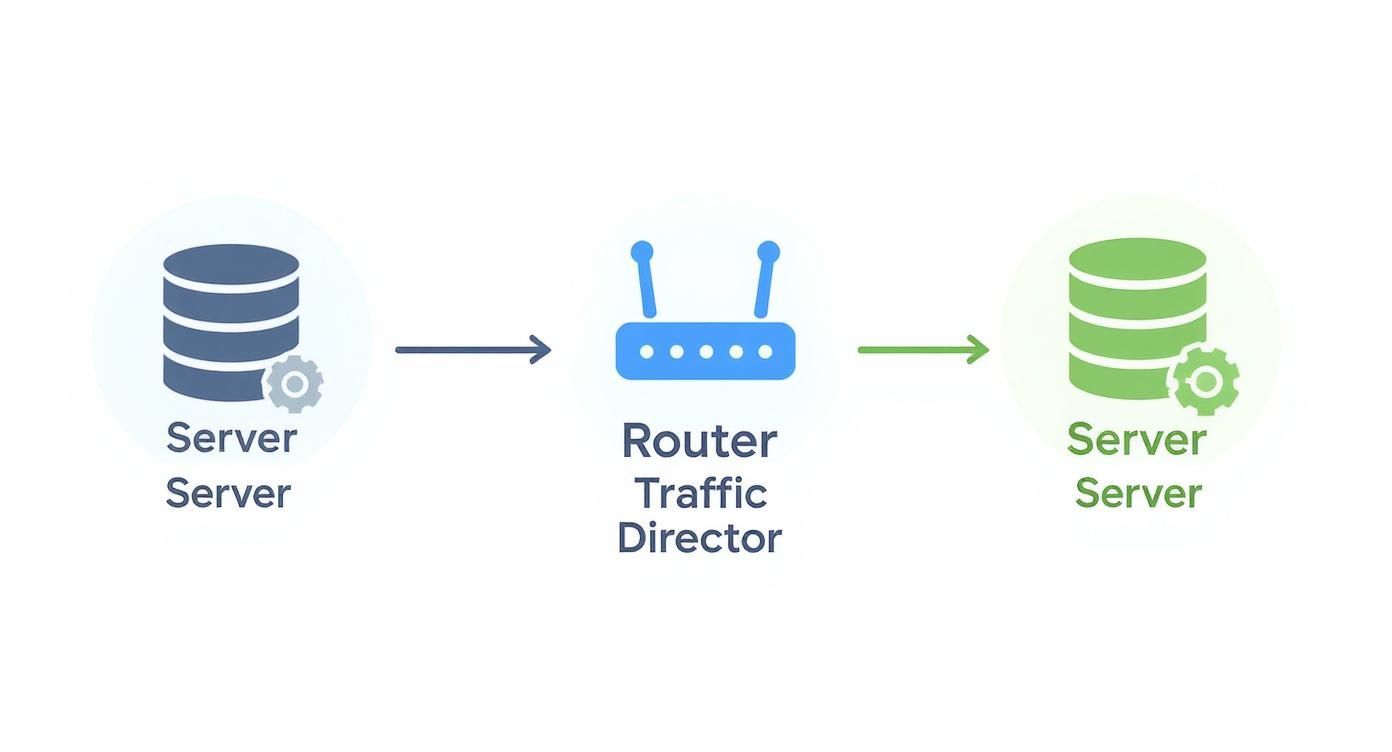
That quick redirection is the key to a seamless, invisible transition for your users.
True Production-Grade Testing
Another huge win is how it demolishes the classic "well, it worked on my machine" problem. The green environment isn't just another staging server with slightly different specs. It's an exact replica of production-same hardware, same configuration, same scale. This setup lets you run your final, most important tests in a context that perfectly mirrors the real world.
This kind of validation catches the subtle bugs that simpler test environments always miss, things like configuration drift or overlooked infrastructure dependencies. When you test on a perfect clone, you can be sure the new version will behave exactly as you expect when it finally meets real user traffic.
The core value of blue-green deployment is simple: risk reduction. By separating the deployment and testing process from live users, teams can innovate faster and, more importantly, safer.
The numbers back this up. Teams that adopt this strategy often see their deployment downtime plummet from minutes or hours to practically zero, helping them maintain nearly 99.9% availability even during major updates. This incredible reliability bump is why top-performing organizations have embraced it. To dig deeper, you can find more insights on achieving high availability with blue green deployments on Snyk.
At the end of the day, it's a strategy that looks out for your systems and your people.
Comparing Deployment Strategies
Blue-green deployment is a fantastic strategy, but it's just one tool in the toolbox. To really know when to use it, you have to understand how it stacks up against the other ways of getting your code into production. Each method strikes a different balance between risk, cost, and complexity.
The old-school approach is the recreate deployment, what many of us used to call a "big bang" release. You simply shut down the old version and fire up the new one. It's straightforward, sure, but it also means guaranteed downtime. For any application that needs to stay online, this is a non-starter.
A much more common and refined method is the rolling update. Here, you replace old application instances with new ones, one by one or in small batches. This sidesteps the full outage of a recreate deployment, but it creates a tricky period where both old and new code are running together. This mix can lead to strange bugs or compatibility headaches, and rolling back is just as slow as rolling out.
Gradual Versus All At Once Releases
This is where the real philosophical split happens. A blue-green deployment flips a switch, moving all your users from the old to the new version instantly. It's a clean, all-at-once change. This is a world away from strategies that ease a new version into production gradually.
Let's look at those more cautious approaches:
-
Canary Releases: Imagine you have a new feature you're a bit nervous about. With a canary release, you can send a small slice of your traffic-say, 5% of users-to the new version. The other 95% don't see a thing. This gives you a chance to watch for errors, check performance metrics, and gather real-world feedback before you even think about a full release. It's perfect for testing something big and risky.
-
A/B Testing: This isn't really a deployment strategy as much as a product experimentation technique that uses deployment mechanics. The goal is to compare two or more versions of a feature against each other to see which one better achieves a business goal, like getting more sign-ups or clicks.
Blue-green really comes into its own when you have a major, well-tested version that's ready for prime time. The objective isn't to test in production; it's to execute a fast, clean release with an immediate rollback plan.
The core choice comes down to your primary goal. Use blue-green for a confident, zero-downtime switch. Use Canary for a cautious, data-gathering release of a potentially risky feature.
Choosing the Right Strategy
So, how do you pick? It always comes down to weighing the trade-offs based on your application, your team, and your budget. There's no single "best" way-only the best way for your specific situation.
Deployment Strategy Comparison
Here's a quick breakdown to help you compare the most common deployment strategies at a glance. Notice how each one optimizes for different things, whether it's cost, safety, or speed.
| Strategy | Downtime | Rollback Speed | Resource Cost | Ideal Use Case |
|---|---|---|---|---|
| Recreate (Big Bang) | High | Very Slow | Low | Non-critical internal apps; maintenance windows. |
| Rolling Update | Low to None | Slow | Low | Simple, stateless applications where versions are compatible. |
| Blue-Green | Zero | Instant | High | Mission-critical apps needing fast, reliable rollbacks. |
| Canary Release | Zero | Fast | Moderate | Testing new, high-risk features with a small user group. |
This table makes it clear where each method shines. The instant rollback and zero downtime of blue-green deployment are hard to beat, but they come at the cost of running double the infrastructure, even if only temporarily.
Ultimately, what is blue green deployment best for? It's the go-to for teams who value stability and the peace of mind that comes with a near-instant recovery plan. When an update is critical and must go smoothly, the cost is often a small price to pay for that level of confidence.
What to Watch Out For: Challenges and Considerations
 While blue-green deployment offers a much safer path to releasing new code, it's not a silver bullet. No strategy is perfect, and this one introduces its own set of hurdles that you need to weigh carefully before jumping in. A realistic view is the key to making it work.
The most immediate challenge is the increased infrastructure cost. To pull off that seamless switch, you have to run two identical, production-scale environments at the same time, at least during the deployment window. This literally doubles your resource footprint-servers, databases, and other services-which can be a serious financial commitment.
If you aren't using the elastic nature of modern cloud platforms, this cost alone can make the whole strategy a non-starter. For teams working in traditional data centers with fixed hardware, keeping a full duplicate environment on standby just isn't practical.
The Big One: Handling Stateful Applications and Data
Let's be honest: the thorniest problem you'll face with blue-green deployments is managing databases and stateful applications. It's simple enough to clone a stateless web server, but data is a different beast entirely. Your users are constantly adding and changing data in the live "blue" environment, and that state needs to be handled with surgical precision during the switch.
This forces you to ask some tough questions:
- How do we keep the "green" database synced up with the live "blue" one?
- What happens to transactions that are in progress at the exact moment we switch traffic?
- How can we roll out database schema changes without breaking the old version of the application?
The short answer is you have to separate database changes from your application deployments. Any schema update needs to be backward-compatible, which means the old "blue" application must continue to work perfectly with the new database structure. For instance, you could add new columns but hold off on removing or renaming old ones until the "green" environment is live and stable. This takes a lot of careful planning between your development and database teams.
Running two production environments is expensive, but it's a calculated trade-off. By having two identical environments running in parallel, you can switch live traffic and completely eliminate planned downtime. This has a real financial impact; studies estimate that unplanned downtime costs enterprises an average of $5,600 per minute. While blue-green deployments drastically reduce this risk, the cost of that duplicate environment has to be part of the financial equation. You can find more insights on the cost of downtime over on LaunchDarkly's blog.
Common Questions About Blue-Green Deployment
Even after you've got the basics down, a few practical questions always pop up when it's time to actually use blue-green deployments. Let's tackle some of the most common ones I hear from teams making the switch.
How Does Blue-Green Deployment Handle Database Changes?
This is the big one. It's probably the trickiest part of the whole strategy, and for good reason: your database is the source of truth, and it's shared by both environments. The short answer? You have to be extremely careful.
The key is to decouple your database migrations from your application deployments. They can no longer be a single, atomic step.
For this to work, any database changes you make have to be backward-compatible. This means the old "blue" version of your app must work perfectly with the new database schema. For instance, instead of renaming a column (which would break the old code), you'd add a new, nullable one.
Your workflow ends up looking something like this:
- First, apply the backward-compatible schema change to your database.
- Next, deploy the new "green" application, which is built to work with that new schema.
- Flip the switch and route all traffic from blue to green.
- After you're confident the green environment is stable, you can schedule a separate, later task to clean up the old schema-like finally dropping that old column.
For more complicated, breaking changes, you might need to lean on more advanced techniques like feature flags inside your application to control how data is read and written during the transition period.
Is Blue-Green Deployment Expensive to Implement?
It certainly can be, and that's a major factor to consider. The cost comes from needing two full, production-grade environments running simultaneously, even if it's just for a short time. You're essentially doubling your infrastructure footprint during every deployment.
In the old days of on-premise data centers with physical servers, this could be a deal-breaker. But the cloud has completely changed the game.
The elasticity of the cloud is what makes blue-green deployment financially viable for most teams. You can use infrastructure-as-code tools to automatically spin up the "green" environment right before a deployment and tear it down right after. This way, you only pay for the duplicate resources for a very short window.
Ultimately, you have to weigh this temporary operational cost against the massive business cost of potential downtime. For most mission-critical apps, the price of preventing a major outage is an investment worth making.
What Is the Difference Between Blue-Green and Canary Releases?
The main difference boils down to how you shift the traffic. Are you doing it all at once, or are you easing into it?
-
Blue-Green Deployment: With this approach, you switch 100% of user traffic from the old version to the new one in a single, decisive moment. The main goal here is a zero-downtime release with an instant rollback plan. It's perfect for well-tested updates where your confidence is already high.
-
Canary Release: This is a much more cautious strategy. You direct a small slice of users-say, 2% or 10%-to the new version while most people stay on the old one. The goal is to "test the waters" with real traffic, watch for errors, and check performance metrics before you commit to a full rollout.
Here's a simple way to think about it: Use a Canary release when you're testing a risky new feature and want to limit the blast radius if something goes wrong. Use a blue-green deployment when you have a major, stable update and your top priority is a fast, safe, and seamless cutover for everyone. They're both fantastic strategies, but they solve different problems.
Ready to implement robust deployment strategies and scalable cloud solutions for your business? Pratt Solutions specializes in custom cloud infrastructure, DevOps, and automation to help you release software with confidence. From CI/CD pipelines to advanced Kubernetes setups, we deliver the technical expertise you need to succeed. Learn more about our services at john-pratt.com.