10 Actionable Kubernetes Security Best Practices For 2025
#kubernetes-security-best-practices#kubernetes-security#k8s-security#cluster-hardening#devsecops
November 26, 2025
Kubernetes has become the de facto standard for container orchestration, but its power and flexibility come with a steep learning curve and significant security risks. Generic advice often falls short, leaving clusters vulnerable to common misconfigurations, supply chain attacks, and sophisticated runtime threats. This guide moves beyond surface-level tips to provide a comprehensive roundup of actionable Kubernetes security best practices, complete with practical implementation steps, code snippets, and real-world examples to help you build a resilient environment.
We will cover critical security domains, starting with the foundational principle of least privilege through finely-tuned Role-Based Access Control (RBAC) and extending to advanced network isolation with Network Policies. You will learn how to enforce workload security using Pod Security Standards (PSS), lock down your software supply chain with image scanning, and establish comprehensive visibility with robust audit logging and monitoring. The strategies detailed here address the entire container lifecycle, from build to runtime.
While these practices are specific to Kubernetes, they are built upon foundational cybersecurity principles. For a broader understanding of foundational security measures applicable across various IT environments, reviewing general security best practices can provide valuable context. Whether you are deploying your first cloud-native application or hardening a large-scale, multi-tenant cluster, the techniques in this listicle will equip you to build and maintain a robust security posture, protecting your critical assets from emerging threats.
1. Implement Role-Based Access Control (RBAC)
Role-Based Access Control (RBAC) is a cornerstone of Kubernetes security best practices, providing a standardized way to manage permissions within your cluster. Instead of assigning permissions directly to individual users or processes, RBAC groups permissions into roles, which are then assigned to subjects like users, groups, or service accounts. This method ensures that entities only have access to the resources absolutely necessary for their functions, adhering to the principle of least privilege.
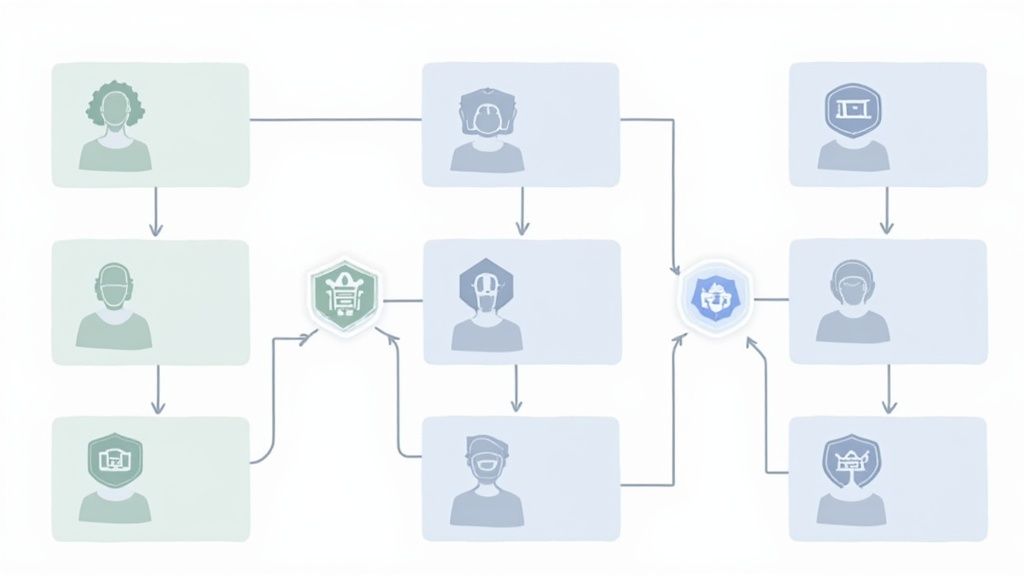
This granular control is critical for preventing unauthorized access and limiting the potential impact of a compromised account. For example, a developer might only have permission to create and update Deployments within a specific namespace, while an automated CI/CD pipeline, via its service account, has permissions to deploy container images. To effectively manage who can do what within your Kubernetes cluster, you need a clear organizational access control policy. Utilize a resource like this to help define your Access Control Policy.
Practical Implementation and Actionable Tips
Successfully implementing RBAC involves starting with a restrictive foundation and granting permissions only as needed. Major cloud providers like Google Kubernetes Engine (GKE) and Amazon Elastic Kubernetes Service (EKS) enable RBAC by default, integrating it with their respective IAM solutions.
Follow these actionable steps to harden your cluster's access controls:
- Start with Deny-All: Begin with a default policy that denies all access. Grant permissions incrementally and specifically, ensuring no overly broad permissions are created.
- Use Specific Service Accounts: Avoid using the
defaultservice account for your applications. Instead, create a uniqueServiceAccountfor each application with a narrowly scopedRoleorClusterRoleattached. - Regularly Audit Policies: Periodically review and audit your RBAC configurations. Use built-in commands like
kubectl auth can-i [VERB] [RESOURCE] --as [USER]to validate that permissions are correctly configured and have not become excessive over time. - Leverage Policy-as-Code Tools: Integrate tools like Open Policy Agent (OPA) or Kubewarden to enforce complex, custom policies that go beyond standard RBAC, such as preventing the creation of roles with wildcard permissions.
2. Enable Network Policies and Segmentation
By default, all pods within a Kubernetes cluster can communicate with each other, creating a flat network where a single compromised pod can potentially access every other workload. Implementing Network Policies is a fundamental Kubernetes security best practice that addresses this vulnerability. These policies act as a virtual firewall for your pods, allowing you to define explicit rules for how groups of pods can communicate with each other and with other network endpoints.
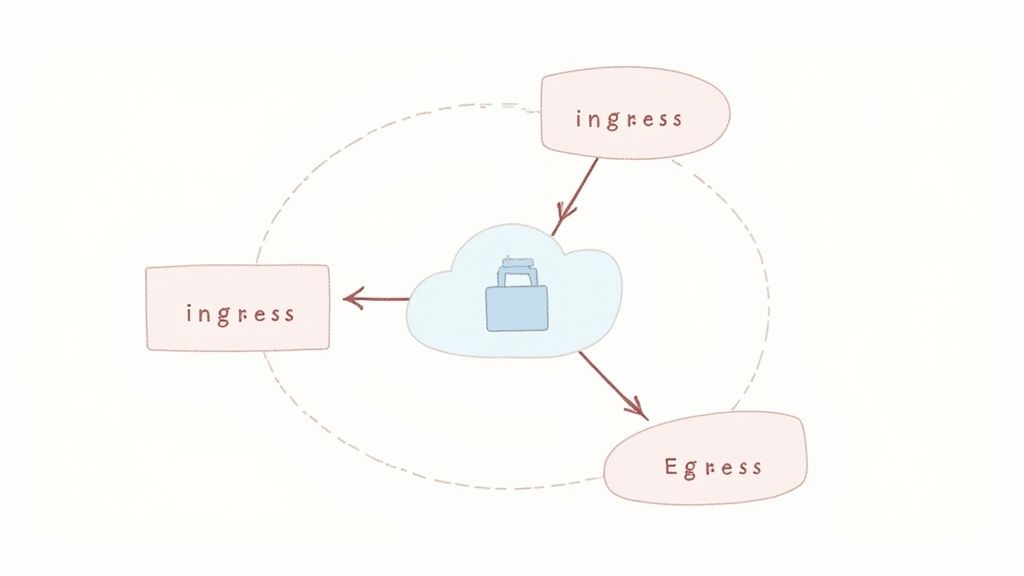
This approach enables microsegmentation, drastically reducing the attack surface by ensuring pods only accept traffic from legitimate sources. If an attacker compromises a pod, their ability to move laterally across the network is severely restricted, containing the breach to a small, isolated segment. Companies like Pinterest and Datadog leverage network policies to secure their vast, multi-tenant Kubernetes environments, demonstrating their effectiveness at scale.
Practical Implementation and Actionable Tips
To enforce network policies, you must be using a networking plugin (or CNI) that supports them, such as Calico, Cilium, or Weave Net. Once a compatible CNI is in place, you can begin defining policy resources to control traffic flow based on pod labels, namespaces, and IP blocks.
Follow these actionable steps to implement robust network segmentation:
- Start with a Deny-All Policy: Apply a default "deny-all" ingress and egress policy to each namespace. This ensures no traffic is allowed until you explicitly create rules to permit it, enforcing a zero-trust model from the outset.
- Use Descriptive Labels: Apply consistent and descriptive labels to your pods (e.g.,
app=frontend,tier=database,env=production). These labels are the foundation for writing clear, effective, and maintainable network policies. - Isolate by Namespace: At a minimum, create policies that prevent traffic between different namespaces unless explicitly required. This creates a strong baseline of isolation between different applications or teams.
- Leverage Advanced CNI Features: For more complex requirements, use network policy tools like Cilium which extend the native Kubernetes NetworkPolicy API to support Layer 7 rules (e.g., allowing specific HTTP methods) and DNS-based policies.
3. Use Pod Security Standards (PSS) and Policies
Pod Security Standards (PSS) have replaced the deprecated Pod Security Policies (PSP) as the native mechanism for enforcing pod-level security constraints in Kubernetes. PSS defines three distinct policy levels: privileged, baseline, and restricted. These standards are crucial for preventing containers from running with excessive permissions, thereby limiting the attack surface and potential blast radius of a container compromise. By setting minimum security requirements at the pod specification level, you can proactively block insecure workloads from ever being scheduled on your cluster.
Implementing PSS is a fundamental Kubernetes security best practice because it enforces key security principles like running as a non-root user, restricting host access, and disabling dangerous Linux capabilities. This built-in admission controller checks incoming pod specifications against a designated policy level, ensuring that all workloads adhere to a consistent security posture. Cloud providers like Google Kubernetes Engine (GKE) have embraced this model, often enforcing the restricted standard on new clusters by default to establish a secure foundation from the start.
Practical Implementation and Actionable Tips
The key to successfully adopting Pod Security Standards is a gradual rollout, starting with less restrictive policies in development environments and progressively tightening them as you move toward production. This approach minimizes disruption while systematically improving your security posture.
Follow these actionable steps to implement PSS effectively in your cluster:
- Start with 'Warn' Mode: Apply policies at the namespace level using labels like
pod-security.kubernetes.io/enforce: baseline. Begin by using thewarnorauditmodes (pod-security.kubernetes.io/warn: restricted) to identify non-compliant workloads without blocking them, allowing your teams to make necessary changes. - Progress to 'Restricted': Aim to run production workloads under the
restrictedpolicy. This policy enforces the most stringent controls, such as requiringrunAsNonRoot: trueand dropping all Linux capabilities (drop: ["ALL"]). Test applications thoroughly to ensure they function correctly under these constraints. - Set
readOnlyRootFilesystem: true: For stateless applications or containers that don't need to write to their root filesystem, set this field totruein yoursecurityContext. This dramatically reduces the risk of an attacker persisting malware or modifying critical system files. - Audit for Violations: Regularly monitor Kubernetes audit logs for PSS violation messages. Integrating these logs with a security information and event management (SIEM) tool can provide real-time alerts on pods that fail admission control checks, helping you quickly identify and remediate security gaps.
4. Implement Image Scanning and Registry Security
Container images form the fundamental building blocks of your Kubernetes applications, making their integrity a critical security checkpoint. Implementing automated image scanning analyzes these images for known vulnerabilities (CVEs), malware, and misconfigurations before they are ever deployed. This proactive approach is a core tenet of Kubernetes security best practices, effectively shifting security left and preventing supply chain attacks by ensuring only vetted, secure images can run in your production environment.
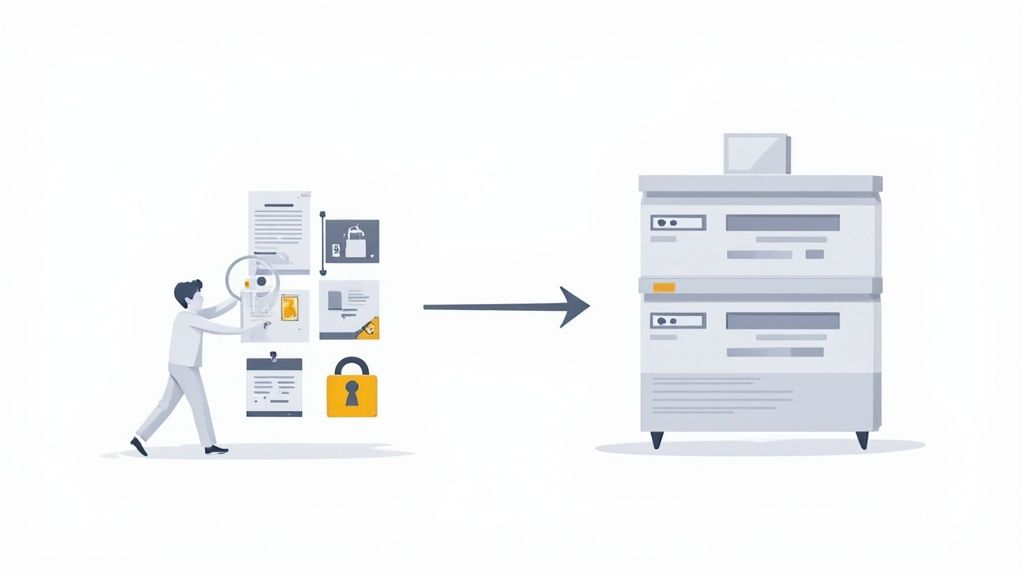
Combined with a secure private registry, this practice creates a powerful gatekeeping mechanism. For instance, tech giants like Netflix and Spotify integrate image scanning directly into their CI/CD pipelines, automatically failing builds that contain high-severity vulnerabilities. This ensures that security isn't an afterthought but an automated, non-negotiable step in the development lifecycle. A robust strategy here mirrors many core concepts found in comprehensive Docker security best practices.
Practical Implementation and Actionable Tips
The goal is to create a seamless, automated flow where images are built, scanned, signed, and stored securely before being admitted into the cluster. Using private registries like Amazon ECR, Google Artifact Registry, or Harbor is the first step, providing access control and integration points for security tooling.
Follow these actionable steps to secure your image supply chain:
- Integrate Scanning into CI/CD: Embed a scanner like Trivy or Snyk directly into your continuous integration pipeline. This provides immediate feedback to developers, allowing them to fix vulnerabilities early in the process.
- Enforce Image Signing: Use tools like Notary or Cosign to cryptographically sign your container images. Configure your cluster's admission controller to verify these signatures, guaranteeing image authenticity and integrity.
- Use Admission Controllers: Deploy an admission controller like Kyverno or OPA Gatekeeper to enforce policies. For example, create a policy that blocks any pod from running if its image has not been scanned or contains critical-level vulnerabilities.
- Define Vulnerability Thresholds: Establish clear policies on acceptable risk. Automatically fail builds or block deployments if an image contains vulnerabilities exceeding a specific CVSS score, ensuring a consistent security baseline across all applications.
5. Enable Audit Logging and Monitoring
Enabling comprehensive audit logging is a critical Kubernetes security best practice, providing an immutable record of all API server requests. This creates a detailed trail of who did what, when, and from where, which is indispensable for security analysis. By capturing every action, from a user creating a pod to a system process modifying a resource, you gain the visibility needed to detect suspicious activity, conduct forensic investigations after an incident, and meet stringent compliance requirements.
Monitoring these audit logs in real-time transforms them from a passive record into an active defense mechanism. When combined with alerting, this system can immediately flag potential threats like unauthorized API calls, privilege escalations, or changes to critical security configurations. For example, cloud providers like Google Kubernetes Engine (GKE) and Amazon Elastic Kubernetes Service (EKS) seamlessly integrate audit logging with Cloud Logging and CloudTrail, respectively, while tools like Falco and Datadog provide advanced threat detection by analyzing these logs and runtime events.
Practical Implementation and Actionable Tips
Effective audit logging requires a proactive setup and a clear strategy for managing the data generated. It's not enough to simply turn on logging; you must configure it to capture relevant events without overwhelming your systems and ensure logs are securely stored and regularly reviewed. You can explore a variety of DevOps monitoring tools to find the right fit for centralizing and analyzing this data.
Follow these actionable steps to establish a robust audit logging and monitoring framework:
- Define a Granular Audit Policy: Don't rely on default settings. Create a specific audit policy file that focuses on high-risk activities like resource creation/deletion (
create,delete), permission changes (patch), and access to secrets. This balances deep visibility with performance. - Centralize and Secure Logs: Forward all audit logs from the API server to a centralized, secure, and tamper-proof logging solution like Splunk, an ELK stack, or a cloud provider's native service. Ensure logs are encrypted both in transit and at rest.
- Configure Proactive Alerts: Set up automated alerts for high-priority security events. Key alerts should trigger for repeated authentication failures, modifications to RBAC roles and bindings, and any access to
kube-systemresources by unexpected users. - Implement Log Retention Policies: Establish and enforce a log retention policy that aligns with your organization's compliance and security needs, typically retaining logs for a minimum of 30 to 90 days for active analysis and longer for archival purposes.
6. Secure Secrets Management
Properly managing sensitive information like API keys, database credentials, and TLS certificates is a critical aspect of Kubernetes security best practices. Storing secrets in plain text, whether in container images, environment variables, or even unencrypted ConfigMaps, creates significant risk. Secure secrets management involves using dedicated mechanisms to store, distribute, and rotate this sensitive data, ensuring it is protected both at rest and in transit.
This approach prevents accidental exposure of credentials, which could lead to unauthorized access to your applications and infrastructure. Kubernetes provides a native Secret object, but its default base64 encoding offers no real protection. True security requires a more robust strategy, often involving external secrets management systems integrated with the cluster. For instance, companies like Uber leverage HashiCorp Vault to centralize and tightly control secret access across numerous Kubernetes clusters, while LinkedIn integrates AWS Secrets Manager for secure distribution.
Practical Implementation and Actionable Tips
A mature secrets management strategy layers multiple controls, from encrypting data stored in etcd to automating credential rotation. This multi-faceted approach ensures that even if one layer is compromised, your most sensitive data remains secure.
Follow these actionable steps to enhance your secrets management:
- Encrypt Secrets at Rest: Enable encryption for your cluster's etcd datastore. By creating an
EncryptionConfigurationobject, you can ensure that all KubernetesSecretresources are written to disk in an encrypted state, protecting them from direct access to the etcd backup files. - Leverage External Secret Managers: Integrate dedicated tools like HashiCorp Vault, AWS Secrets Manager, or Azure Key Vault. Use operators like the External Secrets Operator or Sealed Secrets (from Bitnami) to safely inject secrets from these external vaults directly into your pods, avoiding storage in etcd altogether.
- Implement Strict Access Controls: Use RBAC to limit which pods (via their
ServiceAccount) and users can access specific secrets. A pod should only havegetandwatchpermissions for the secrets it explicitly needs. - Automate Credential Rotation: Establish and enforce policies for regularly rotating all credentials, such as every 30-90 days. External secrets managers often have built-in capabilities to automate this process, significantly reducing the risk associated with long-lived static secrets.
- Prevent Secrets in Code: Never commit secrets to version control systems like Git. Employ secret scanning tools such as GitGuardian or TruffleHog in your CI/CD pipelines to detect and block any accidental commits of sensitive information.
7. Enforce Network Encryption (mTLS) with Service Mesh
By default, pod-to-pod communication within a Kubernetes cluster is unencrypted. This leaves sensitive data vulnerable to interception and man-in-the-middle attacks from any compromised node or pod. Enforcing Mutual TLS (mTLS) with a service mesh is a powerful method to secure this internal traffic, automatically encrypting all communication and verifying the identities of both the client and server.
Service meshes like Istio and Linkerd operate by injecting a "sidecar" proxy, such as Envoy, alongside each application container. This proxy intercepts all incoming and outgoing network traffic, handling the complex tasks of certificate management, rotation, and encryption without requiring any changes to your application code. This approach is a critical component of a zero-trust network model within your Kubernetes security best practices, ensuring that trust is never assumed, even for internal communications.
Major tech companies rely on this pattern for robust security. For example, Shopify uses Linkerd for a lightweight and performant mTLS implementation, while eBay leverages the comprehensive feature set of Istio to secure its vast service-to-service communication network in Kubernetes.
Practical Implementation and Actionable Tips
Implementing a service mesh automates the secure-by-default posture for in-cluster traffic. Both Istio and Linkerd are mature, CNCF-graduated projects that can be configured to enforce mTLS cluster-wide with minimal effort, abstracting away the complexities of PKI management.
Follow these actionable steps to implement mTLS with a service mesh:
- Choose the Right Service Mesh: Select a service mesh based on your needs. Use Istio for its rich feature set, including advanced traffic routing and policy enforcement, or opt for Linkerd if you prioritize simplicity, performance, and ease of use.
- Enable Strict mTLS Mode: Once deployed, configure your service mesh to operate in a strict mTLS mode. In Istio, this is achieved by creating a
PeerAuthenticationpolicy at the root namespace that sets the mTLS mode toSTRICT, rejecting any unencrypted traffic. - Roll Out Gradually: Introduce the service mesh into a non-critical environment or namespace first to test its behavior and performance impact. Gradually expand the mesh to cover more services before a full production rollout.
- Leverage Observability Tools: Use visualization tools like Kiali for Istio or the Linkerd dashboard to monitor traffic, verify that mTLS is active, and troubleshoot connectivity issues. These tools provide invaluable insights into your service mesh's health and security posture.
- Combine with Authorization Policies: Once encryption is in place, layer on service-to-service authorization. Use policies like Istio's
AuthorizationPolicyto define which services are explicitly allowed to communicate with each other, further tightening your security controls.
8. Implement Runtime Security and Container Sandboxing
While securing your cluster configuration and container images is vital, what happens once your applications are running? Runtime security is the practice of monitoring and protecting your containers during execution. It focuses on detecting and preventing malicious activities in real-time, such as unexpected process execution, file system modifications, privilege escalation, or anomalous network connections. This layer of defense is crucial because even a secure image can have undiscovered vulnerabilities or be compromised post-deployment.
Implementing strong runtime security is a key Kubernetes security best practice because it provides a critical safety net against active threats. Techniques range from monitoring system calls with tools like Falco to enforcing stronger isolation with container sandboxing technologies like gVisor. For example, Shopify famously uses Falco in production to detect runtime threats across its massive Kubernetes environment, while Google Cloud leverages gVisor to securely sandbox untrusted workloads in services like Cloud Run. These measures ensure that if a container is compromised, the blast radius is contained and the activity is immediately flagged.
Practical Implementation and Actionable Tips
Effective runtime security involves a combination of monitoring, policy enforcement, and isolation. The goal is to gain deep visibility into container behavior and enforce strict boundaries on what they are allowed to do, making it significantly harder for an attacker to exploit a running application.
Follow these actionable steps to enhance your runtime defenses:
- Deploy a Runtime Security Tool: Implement a tool like Falco as a
DaemonSetto monitor kernel-level system calls on every node. Start with the default ruleset and then create custom rules that model the expected behavior of your specific applications. - Restrict System Calls: Use
seccompprofiles to limit the system calls a container can make. Docker applies a defaultseccompprofile, but for enhanced security, you should create custom, more restrictive profiles that only allow the syscalls your application truly needs. - Enforce Mandatory Access Control (MAC): Leverage Linux security modules like AppArmor or SELinux to create security policies that confine container capabilities even further. These policies can restrict file access, network operations, and other kernel interactions.
- Use Sandboxing for High-Risk Workloads: For multi-tenant environments or when running untrusted code, use a container sandbox. Define a
RuntimeClassto run specific Pods with stronger isolation technologies like gVisor or Kata Containers, which provide a dedicated kernel for each Pod. - Integrate Alerts into Workflows: Ensure that alerts from your runtime security tools are fed directly into your incident response system or SIEM. This integration enables rapid investigation and response, turning detection into a proactive security measure.
9. Regular Security Audits and Vulnerability Assessments
A proactive security posture is not a one-time setup; it requires continuous validation and improvement. Regular security audits and vulnerability assessments are critical Kubernetes security best practices that help identify and remediate weaknesses before they can be exploited. This process involves systematically reviewing your cluster configurations, infrastructure, and running workloads against established security benchmarks and known vulnerabilities. It ensures that security controls are effective and that compliance requirements are met over time.
Performing periodic assessments helps uncover misconfigurations, insecure defaults, and vulnerabilities that may have been introduced through new deployments or system changes. For example, a routine audit might reveal an overly permissive network policy or a container running with an outdated, vulnerable library. Industry standards like the CIS Kubernetes Benchmark provide a comprehensive framework for these assessments, offering a prescriptive guide for securing your cluster from the ground up.
Practical Implementation and Actionable Tips
Integrating regular audits into your operational lifecycle transforms security from a reactive to a proactive discipline. The goal is to create a feedback loop where findings from audits are used to continuously harden your security posture. This approach is essential for maintaining a secure and resilient Kubernetes environment.
Follow these actionable steps to establish a robust auditing and assessment routine:
- Automate Baseline Assessments: Use automated tools like
kube-benchto check your cluster against the CIS Kubernetes Benchmark. Integrate tools such askube-hunterto actively probe for security weaknesses andTrivyorGrypefor container image vulnerability scanning within your CI/CD pipeline. - Schedule Regular Reviews: Conduct comprehensive security reviews at least quarterly. This should include a manual review of critical components like RBAC policies, network policies, and sensitive secret management practices.
- Engage External Experts: At least annually, perform a penetration test conducted by a third-party security firm. External experts bring a fresh perspective and specialized skills to uncover complex vulnerabilities that automated tools might miss.
- Document and Remediate: Meticulously document all findings from audits and assessments. Create a clear remediation plan with prioritized tasks, assign ownership, and track progress to ensure all identified gaps are closed in a timely manner.
10. Implement Cluster Isolation and Multi-Tenancy Controls
When multiple teams, applications, or customers share a single Kubernetes cluster, implementing robust isolation is a fundamental security requirement. Multi-tenancy controls prevent tenants from accessing each other's data or resources, mitigating the risk of lateral movement and containing the blast radius of a security breach. This practice ensures that the actions of one tenant, whether malicious or accidental, do not impact the security, stability, or performance of others.
Strong multi-tenancy is the foundation for building secure shared platforms and is a critical aspect of Kubernetes security best practices. For example, platforms like OpenShift utilize its "Project" feature, which is essentially a Kubernetes namespace with additional security annotations, to create strong boundaries between tenants. This approach ensures that tenants operate in self-contained environments, drastically reducing the attack surface within the shared infrastructure.
Practical Implementation and Actionable Tips
Effective cluster isolation involves a layered approach, combining several Kubernetes features to create a defense-in-depth strategy. The goal is to enforce separation at the network, compute, storage, and access control levels. For organizations leveraging Infrastructure as Code (IaC), managing these complex configurations can be streamlined; you can explore this further with a Terraform tutorial for beginners to see how such tools can define and enforce these boundaries consistently.
Follow these actionable steps to secure your multi-tenant cluster:
- Use Dedicated Namespaces: Create a unique
Namespacefor each tenant. This is the primary boundary for scoping resources, policies, and permissions. - Enforce Resource Quotas: Apply
ResourceQuotaandLimitRangeobjects to each namespace. This prevents a single tenant from consuming excessive CPU, memory, or storage, which could lead to denial-of-service conditions for others. - Implement Strict Network Policies: By default, all pods in a cluster can communicate with each other. Create
NetworkPolicyresources that explicitly deny all cross-namespace traffic unless specifically allowed, effectively creating a network firewall around each tenant. - Isolate Workloads with Node Affinity: For tenants with higher security requirements or untrusted workloads, use node taints, tolerations, and affinity rules to schedule their pods on dedicated nodes, providing physical compute isolation.
- Scope RBAC to Namespaces: Ensure all
RolesandRoleBindingsare namespace-scoped rather than cluster-wide. Avoid grantingClusterRolepermissions to tenant users or service accounts unless absolutely necessary.
Kubernetes Security Best Practices - 10-Point Comparison
| Control | Implementation complexity | Resource requirements | Expected outcomes | Ideal use cases | Key advantages |
|---|---|---|---|---|---|
| Implement Role-Based Access Control (RBAC) | Medium - planning and policy management | Low operational resources; administrative effort increases with scale | Fine-grained access control and reduced unauthorized access | All clusters, multi-team environments, production access control | Enforces least privilege, built-in, auditable |
| Enable Network Policies and Segmentation | Medium - policy design at scale | Medium - needs CNI support and policy management | Microsegmentation; reduced lateral movement and blast radius | Multi-tier apps, zero-trust networks, multi-namespace clusters | Prevents pod-to-pod lateral movement; transparent to apps |
| Use Pod Security Standards (PSS) and Policies | Low to Medium - simple to adopt, require testing | Low - built-in Kubernetes admission controls | Enforce secure pod defaults; prevent privilege escalation | New clusters, baseline hardening, migration from PSP | Built-in, multiple enforcement modes (warn/audit/enforce) |
| Implement Image Scanning and Registry Security | Medium - pipeline and policy integration | Medium - scanning compute, private registries, tooling | Detect vulnerabilities before deploy; reduce supply-chain risk | CI/CD pipelines, organizations with strict image policies | Automated CVE detection, image signing and provenance |
| Enable Audit Logging and Monitoring | Medium - policy and alert tuning | Medium to High - log storage, SIEM, analysis tools | Full activity visibility for forensics and compliance | Regulated environments, incident response readiness | Complete audit trail; supports compliance and detection |
| Secure Secrets Management | Medium to High - vault integration and rotation workflows | Medium - external vaults, orchestration, RBAC controls | Encrypted secrets, controlled access, reduced leaks | Production clusters, multi-env deployments, sensitive credentials | Centralized secrets, rotation, auditability |
| Enforce Network Encryption (mTLS) with Service Mesh | High - service-mesh deployment and policies | High - sidecars, CPU/memory, operational overhead | Mutual TLS for service-to-service auth and encrypted traffic | Environments handling sensitive data in transit, multi-service apps | Transparent mTLS, automatic cert management, strong auth |
| Implement Runtime Security and Container Sandboxing | High - tuning detection rules and runtimes | High - runtime overhead, additional isolation tech | Real-time detection of compromises; stronger isolation | High-risk or untrusted workloads, defense-in-depth needs | Runtime threat detection, seccomp/AppArmor, sandboxing options |
| Regular Security Audits and Vulnerability Assessments | Medium to High - scheduled testing and remediation | Medium to High - expert time, external audits, tooling | Identify misconfigurations and vulnerabilities; validate posture | Compliance, pre-production reviews, periodic security checks | Finds gaps before exploitation; provides remediation roadmap |
| Implement Cluster Isolation and Multi-Tenancy Controls | High - architecture and tenant policies | High - namespace, storage, network and RBAC management | Tenant isolation with controlled resource sharing | Shared clusters, SaaS platforms, multi-tenant services | Enables secure resource sharing; clear isolation boundaries |
Putting It All Together: Your Path to a Secure Cluster
Navigating the landscape of Kubernetes security can feel like a monumental task, but it doesn't have to be. As we've explored, securing your clusters is not about a single silver-bullet solution. Instead, it's about building a multi-layered, defense-in-depth strategy where each practice reinforces the others, creating a resilient and hardened environment. The journey from a default, vulnerable cluster to a secure, production-ready platform is a deliberate process of continuous improvement.
By now, you understand that these are not just abstract concepts. They are actionable Kubernetes security best practices that form the pillars of a robust security posture. From the foundational necessity of strict Role-Based Access Control (RBAC) to the advanced protection offered by runtime security and service meshes, each element plays a critical role. The key is to see these practices not as a checklist to be completed once, but as an integrated part of your operational DNA. Security must become a continuous cycle, not a final destination.
Your Actionable Roadmap to a Hardened Cluster
Where do you begin? The path forward is iterative. Trying to implement all ten best practices at once can lead to overwhelm and paralysis. Instead, focus on a phased approach that delivers immediate value while building momentum for more advanced security measures.
Here's a practical sequence to get started:
- Lock Down the Fundamentals: Begin with the most critical controls. Implement least-privilege RBAC and enable Pod Security Standards (PSS) immediately. These foundational steps dramatically reduce your attack surface with relatively low effort.
- Secure Your Supply Chain and Network: Next, integrate image scanning into your CI/CD pipeline and configure network policies to restrict pod-to-pod communication. This creates a secure perimeter around your applications, preventing lateral movement and blocking known vulnerabilities before they are ever deployed.
- Enhance Visibility and Protection: With the basics in place, focus on observability and proactive defense. Enable comprehensive audit logging and monitoring, and establish a secure system for secrets management. This phase is about moving from a reactive to a proactive security stance, giving you the visibility needed to detect threats as they emerge.
- Adopt Advanced Security Postures: Finally, layer on advanced controls like runtime security, mTLS with a service mesh, and multi-tenancy isolation. These measures provide sophisticated, real-time protection against complex threats and are essential for mature, security-conscious organizations.
The True Value of a Secure Kubernetes Ecosystem
Mastering these Kubernetes security best practices is more than a technical exercise; it's a strategic business imperative. A secure cluster is a reliable cluster. It protects sensitive data, ensures service availability, and builds trust with your customers. By embedding security into every stage of the application lifecycle, from code to cloud, you accelerate your development velocity without accumulating security debt. You transform security from a bottleneck into a business enabler.
This holistic approach empowers your teams to innovate confidently, knowing their applications are running on a platform designed for resilience. The ultimate goal is to create a security culture where everyone shares responsibility, supported by the automated guardrails you've meticulously built. Keep iterating, keep learning, and keep hardening your defenses. Your commitment to these principles is the single most important factor in the long-term security and success of your Kubernetes journey.
Feeling overwhelmed or need expert guidance to accelerate your security implementation? The team at Pratt Solutions specializes in cloud-native security and DevOps automation, helping organizations like yours implement these very same best practices. Let us help you build a secure, compliant, and highly-automated Kubernetes platform by visiting Pratt Solutions to schedule a consultation.